Connect Claude to Gonk using MCP
Connect Claude to Gonk with a private remote MCP connector. Check wallet access, SOL costs, session budgets and how to revoke access.
Published and reviewed 2026-11-16 · Gonk team · 8 minute read
Connect Claude to Gonk’s remote MCP tools to research coins and, with a separate private wallet connection, prepare a Solana launch. Public reads and delegated wallet actions are different connections. This guide explains which URL to use, what it permits and how to remove access.
Choose public reads or a private wallet connection
For a wallet-free introduction, use https://gonk.fun/mcp. That public Streamable HTTP server exposes trust_faq, list_coins and coin_info. It cannot launch, trade or access your wallet. No sign-in or secret is needed for these public reads.
To launch from your Gonk wallet, create a private session on /agents while signed in. Its token-bearing URL authorizes the selected wallet tools until expiry or revocation. It is not the same as the public /mcp URL. Custom connector availability and organization controls vary; consult Claude’s current setup documentation if the labels differ.
1. Set limits on Gonk before adding Claude
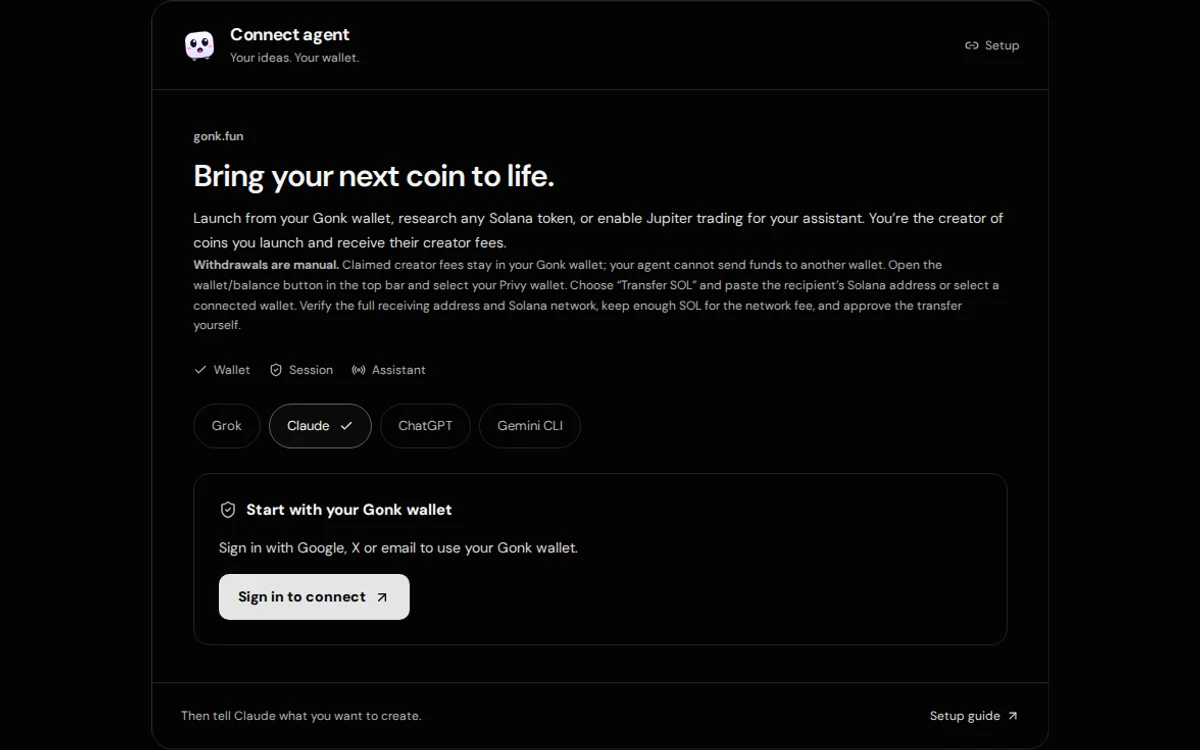
- Open /agents and sign in with Google, X or email. Select the intended Privy Solana wallet and choose Claude.
- Set a maximum first buy per launch and a separate session spending cap. The first-buy setting can be 0.02–100 SOL, while the session cap can be 0.001–1000 SOL. Launching with dev_buy_sol = 0 is supported despite the nonzero authorization setting.
- Leave trading and automation off if you only want a launch. Choose Connect Claude and review the requested signer permission.
- Read the link warning, acknowledge both statements and reveal the connection. Use Copy private link. Do not screenshot or share the real URL.
Understand the permissions before you connect
The maximum first-buy setting is a per-launch limit, and also limits each SOL buy if you opt into trading. The session spending cap is a separate cumulative SOL budget. The backend reserves conservative launch, buy, fee, account and network costs before signing. Proceeds do not refill it; failed or uncertain attempts can keep their reservation. It is a server-enforced budget, not an immutable onchain spending guarantee.
Trading and automated strategies are separate opt-ins. Leave both off for a first launch walkthrough. When enabled, sells can use existing token holdings: the SOL cap does not bound the market value of tokens sold. Each automated plan also needs its own amount, budget, expiry and execution limit.
Your private connection URL is a bearer credential. Anyone who obtains an active link can use its allowed tools. Never put it in a public post, an X mention tagging Grok, a screenshot, a support report or a shared repository. Your AI provider receives the link and tool data when you connect. Read that provider’s data settings as well as Gonk’s privacy information.
A longer connection does not start a background job. For this walkthrough, leave unattended launches off. If you explicitly enable them for another session, choose a maximum number of launch attempts and give your assistant separate instructions about what to launch. Trading and trading strategies are off in that mode.
Approving the delegated signer allows permitted actions without a fresh wallet popup each time. Asking the assistant to confirm in chat is useful, but it is not a second cryptographic approval barrier. Choose 1, 4, 8 or 12 hours for a new connection; 1 hour is the default. Time spent approving reduces the remaining time. Privy blocks new signatures after that deadline; the backend also expires the link and stops new strategy submissions.
2. Add a custom connector in Claude
In Claude’s web or desktop interface, find Customize → Connectors and add a custom web connector. Give it a recognizable name such as “Gonk — my private session” and enter the exact URL from Gonk. In a Team or Enterprise workspace, an organization owner or authorized administrator may need to add or permit it first. Menu labels can change.
Review the detected authentication settings. Gonk’s private session URL is already a bearer credential, so use the no-additional-sign-in option when offered. Do not enter a Google or X password, a wallet key, a separate client secret or made-up OAuth settings into the connector. The public read-only endpoint likewise needs no account.
Finish adding the connector and enable it for the intended private conversation. Ask Claude to read https://gonk.fun/faq.md for public safety information. The trust_faq tool is available on the separate public server. For your private session, ask it to call status and show the wallet address, remaining session budget, expiry and tool permissions before any signing action.
Claude connects to remote MCP services from its infrastructure. The provider can receive the connection URL, tool requests and results; a connector is not a way to hide a secret from the AI provider. Use only an account or conversation you intend to trust with that session.
Use my Gonk connector. Call status and show the wallet address,
remaining session budget, expiry and enabled permissions.
Draft an original Solana coin using SOL and dev_buy_sol = 0.
Call launch_cost, explain the costs and wait for me to confirm before launch.
What does it cost?
A private connection is not a free launch. The base wallet funding estimate refreshes daily and includes a safety buffer. For example, with a 0.01 SOL base recommendation and the normal 0.02 SOL Gonk agent fee, plan for about 0.03 SOL with no first buy. Unused buffer stays in your wallet. Check launch_cost for the latest requirement.
An optional first buy adds the chosen SOL amount plus account costs. For example, with a 0.03 SOL launch recommendation and about 0.0045 SOL in extra account costs, a 0.1 SOL first buy brings the recommendation to about 0.1345 SOL. A 0 SOL first buy is supported; you do not have to buy your own coin. Holder rewards and other settings can change the requirement.
Ask the assistant to call launch_cost with your intended dev_buy_sol immediately before deciding. Compare its total_needed_sol, gonk_fee_sol, enough, send_sol and session_budget values with your wallet and chosen cap. If costs exceed the remaining cap, reconnect with a deliberately chosen budget; depositing more SOL alone does not raise that cap.
Gonk coin trades on the curve currently total 1%: 0.25% Raydium, 0.25% Gonk and 0.5% creator fees. Optional Jupiter swaps through Gonk currently carry a 0.50% Gonk referral fee plus applicable route, network and account costs. These are separate from the agent launch fee. Grok or Claude subscription/API charges, if any, are paid to that provider. Check the live quote and fee breakdown rather than treating these figures as permanent.
3. Review each intended action
Choose the name, ticker, image, curve and description together. Ask Claude for a final summary, a fresh launch_cost result and the expected first buy. Launch only if the wallet and total fit your approved limits. The private MCP launch tool uses SOL pairs; other quote tokens require the website form and your explicit decision.
The optional sign credit appends “Launched with Claude on gonk.fun” when enabled with that assistant name. Passing sign: false omits it; there is no separate description-credit fee. If Claude asks for a private key or says it needs to withdraw to another address to launch, stop. Neither is part of this workflow.
For optional trading, enable it on Gonk through a new approved connection. Ask for trade_quote, review fees, slippage and price impact, approve the intended buy or sell in chat and check trade_status through confirmation. Do not use this guide as a claim that every token has a route or can be sold at any time.
Check the result rather than trusting a chat reply
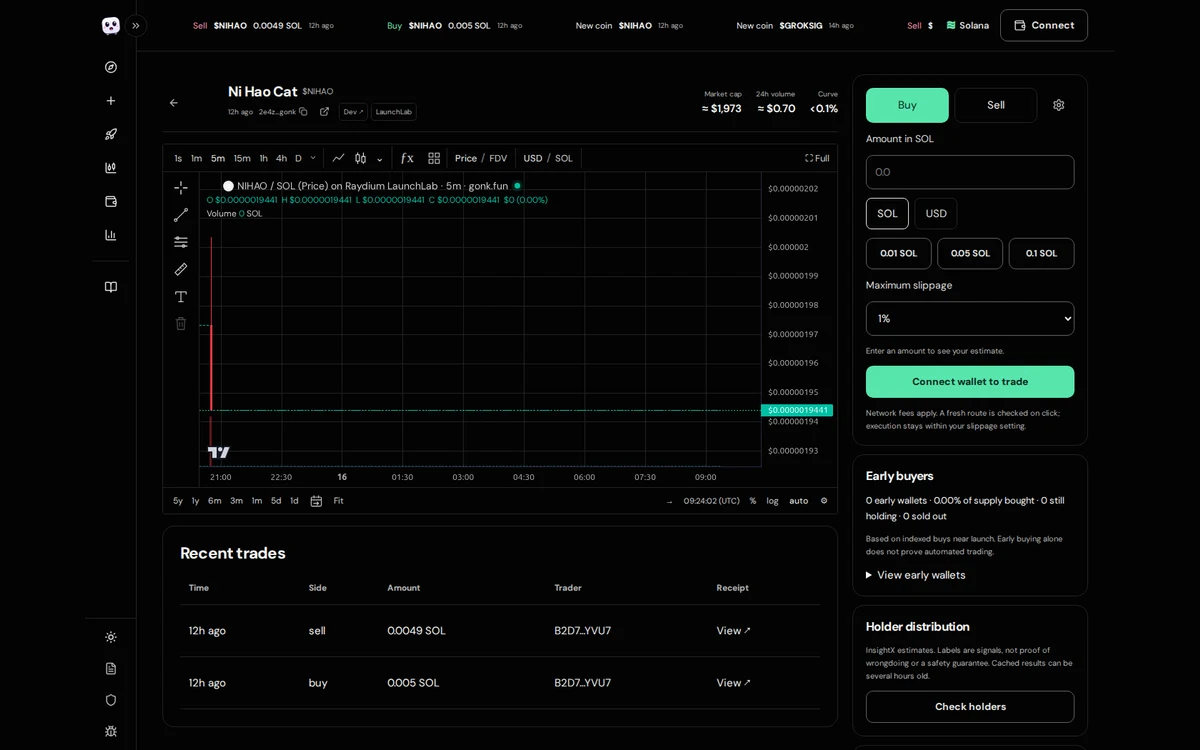
A successful response should identify the token mint, transaction and Gonk coin page. Open the transaction on a Solana explorer and check confirmation, creator wallet and mint. If the response is pending or the tool times out, inspect that transaction before trying again. A chart listing is not proof of liquidity, demand, profit or a bot-free launch.
Creating a token is an irreversible mainnet action with real costs. Metadata and token records may be permanent. Use an original image and a name you have permission to use; do not impersonate another project. Keep only funds you can afford to lose.
Disconnect when you finish
- Open gonk.fun/agents using the same signed-in account and select the Privy wallet used for the connection.
- Press Disconnect. Confirm the site reports that the old link is revoked. The backend stops new use of that connection and its automated plans.
- The interface also attempts to remove the Privy signer. If it reports a removal failure, review the wallet’s signer permissions and complete removal; do not treat the assistant’s own confirmation as proof.
- Remove the saved connector from Grok or Claude as well. This clears its saved access, but removing it in the assistant alone is not a substitute for revoking on Gonk.
Expiry removes signing power under the time-bound policy; an old signer entry may still be visible in the wallet. The server also retries a deny-all policy update. Transactions already signed or submitted can still complete, so inspect wallet activity before repeating an action or assuming it was cancelled.
Withdrawals are manual. Open the wallet/balance button on Gonk, select the Privy wallet, choose Transfer SOL, and paste the full recipient Solana address or choose a connected wallet. Verify the network and address, keep enough SOL for fees, and approve the transfer yourself. The agent cannot withdraw funds for you.
Connector problems and safe retries
If Claude lists only public read tools, check whether you connected /mcp instead of your private session URL. If the private link is inactive, reconnect on Gonk and update the saved connector with the new URL. If editing the URL is unavailable in your Claude interface, remove that connector and add it again.
For an organization restriction, ask the authorized administrator rather than trying to bypass the workspace policy. A budget rejection requires a deliberately approved replacement session. RPC outages, stale quotes and uncertain confirmations require checking the existing transaction before resubmitting.
Gonk is currently Solana-only. A successful tool call is not an endorsement from Anthropic, a completed security audit or a promise of investment returns.
Gonk API and agent guide · OpenAPI specification · Agent resources